安装pop pop支持cocoapods安装:
pod 'pop' 如果你是用的是Swift,记得在前面加上这么一行:
use_frameworks! 这里 是pop的Github页面.
导入pop OC:
Swift:import pop
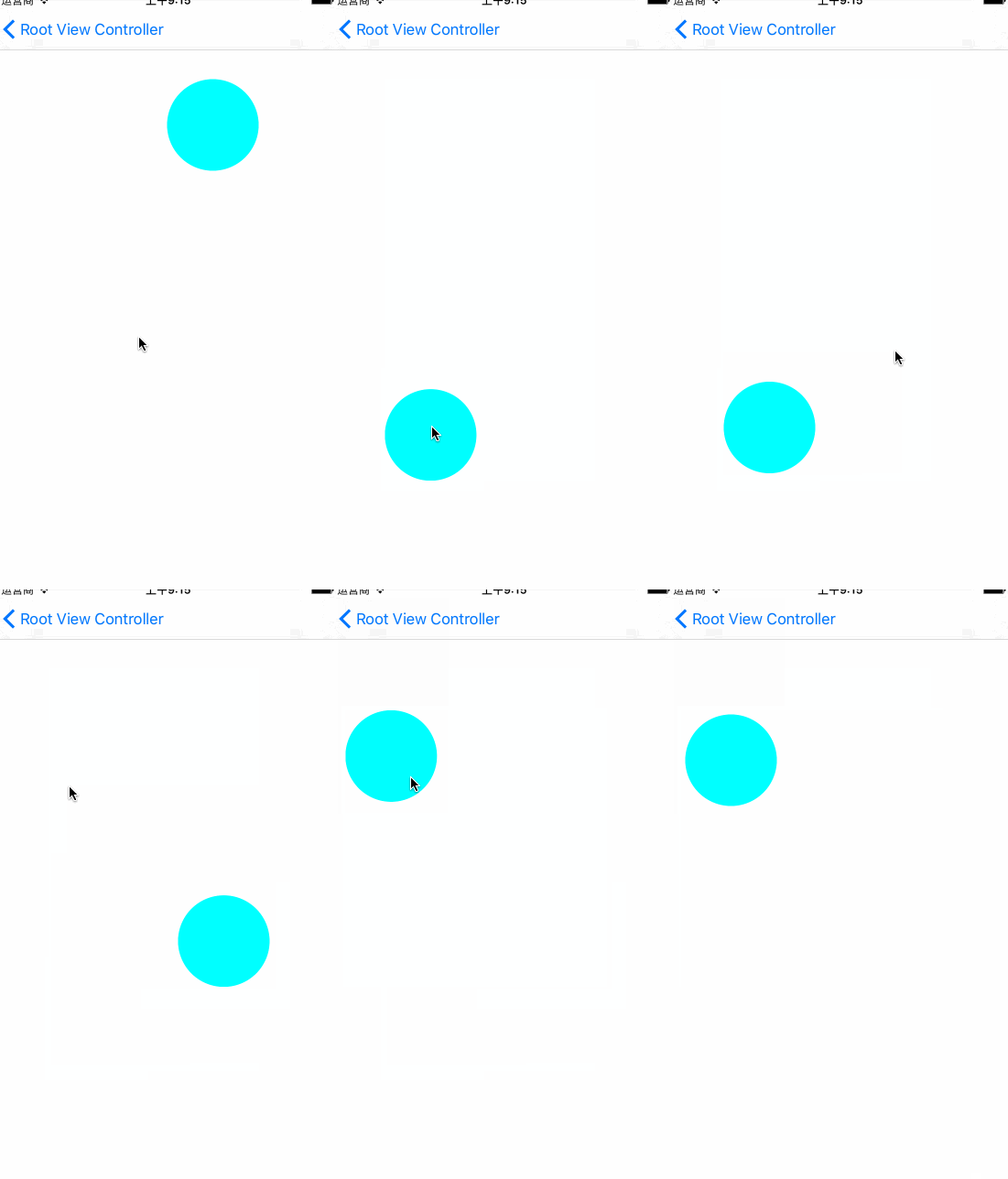
简单实现一个弹性动画:
1
2
3
4
5
6
7
8
9
self .springAnimation = self .AnimationView .pop_animationForKey("popAnimation" ) as? POPSpringAnimation if self .springAnimation == nil { self .springAnimation = POPSpringAnimation (propertyNamed: kPOPViewCenter) self .springAnimation? .springSpeed = 20.0 self .springAnimation? .springBounciness = 25.0 self .AnimationView .pop_addAnimation(self .springAnimation, forKey: "popAnimation" ) } self .springAnimation? .toValue = NSValue (CGPoint: point! )
pop_animationForKey:获取对象已存在相同key的POPAnimation对象,如果没有则返回nil
propertyNamed:是POPSpringAnimation继承自POPPropertyAnimation的方法,一般用于创建一个POP内置的动画property
springSpeed:弹性动画(POPSpringAnimation)的属性,用于控制动画速度
springBounciness,也是弹性动画的属性,用于控制动画的弹性幅度
fromValue:动画的起始值,如果不设置则默认以当前值开始
toValue:动画的目标值(结束值)
***注意点:***动画的类型(property)需要与fromValue与toValue所对应,这里的propertykPOPViewCenter顾名思义是把view的center作为要动画的值,所以fromValue与toValue需要的值应该是CGPoint(其接受AnyObject类型的值,所以使用NSValue来传递)的值.
SpringAnimation.gif
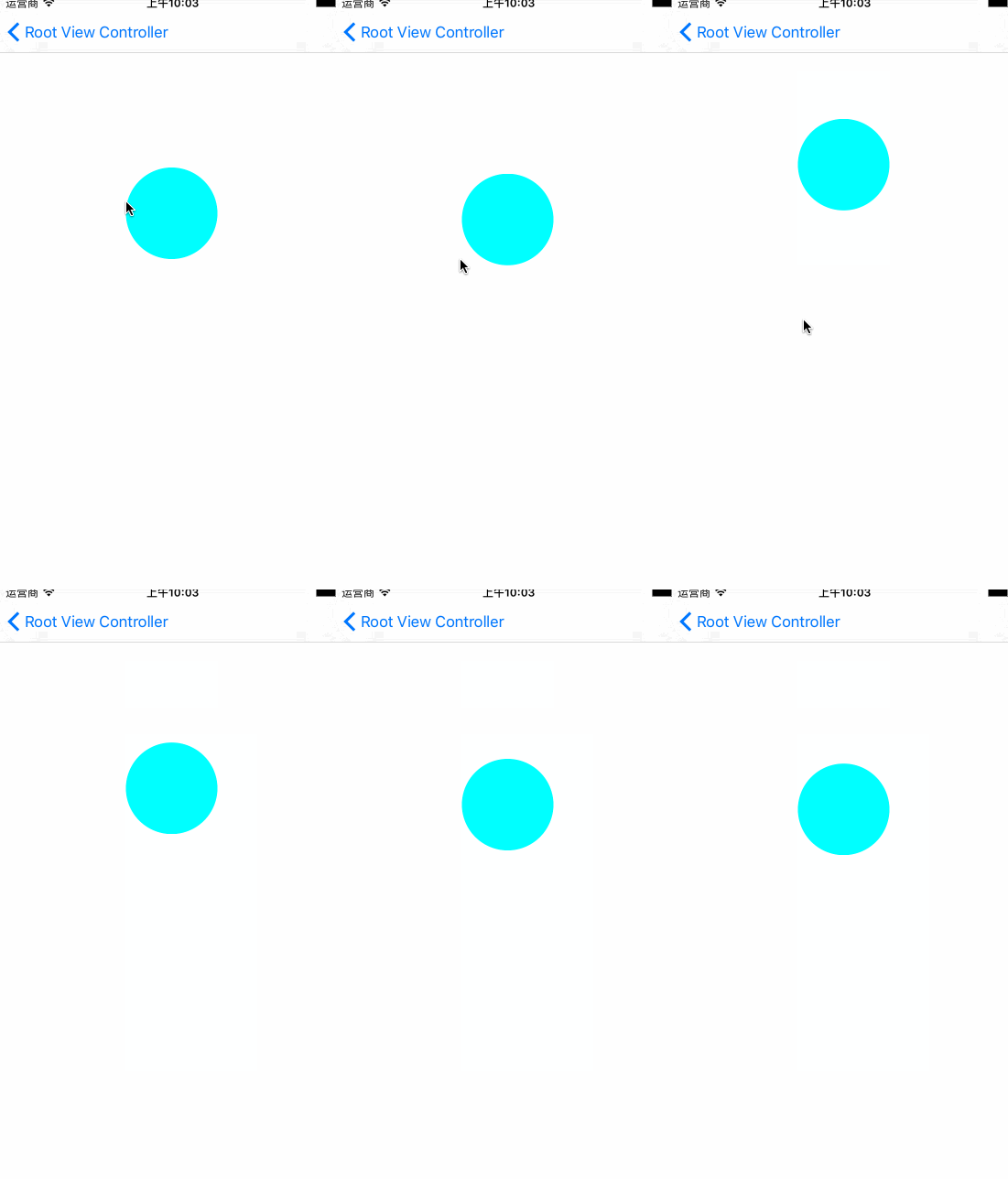
衰减动画:
1
2
3
4
5
6
7
8
self .decayAnimation = self .AnimationView .pop_animationForKey("popAnimation" ) as? POPDecayAnimation if self .decayAnimation == nil { self .decayAnimation = POPDecayAnimation (propertyNamed: kPOPLayerPositionY) self .decayAnimation? .velocity = NSNumber (double:300.0 ) self .decayAnimation? .fromValue = NSNumber (double:100.0 ) self .AnimationView .pop_addAnimation(self .decayAnimation, forKey: "popAnimation" ) } self .decayAnimation? .toValue = NSValue (CGPoint: point! )
衰减动画(POPDecayAnimation)有一点特殊,他没有toValue只有fromValue,然后根据给定的速率(velocity)进行逐渐衰减,也就是说,不能直接控制动画的结束值.当然fromValue也是可以省略的,默认以当前值为fromValue
POP所有的内置属性都定义在POPAnimatableProperty.h文件中,内置的其他property:
1
2
3
4
5
6
7
8
9
10
11
12
13
14
15
16
17
18
19
20
21
22
23
24
25
26
27
28
29
30
31
32
33
34
35
36
37
38
39
40
41
42
43
44
45
46
47
48
49
50
51
52
53
54
55
56
57
58
59
60
61
62
63
64
65
66
67
68
69
70
71
72
73
74
75
76
77
78
79
80
81
82
83
84
85
86
87
88
89
90
91
92
93
94
95
96
97
98
99
100
101
102
103
104
105
106
107
108
109
110
111
112
113
114
115
116
117
118
119
120
121
122
extern NSString * const kPOPLayerBackgroundColor;extern NSString * const kPOPLayerBounds;extern NSString * const kPOPLayerCornerRadius;extern NSString * const kPOPLayerBorderWidth;extern NSString * const kPOPLayerBorderColor;extern NSString * const kPOPLayerOpacity;extern NSString * const kPOPLayerPosition;extern NSString * const kPOPLayerPositionX;extern NSString * const kPOPLayerPositionY;extern NSString * const kPOPLayerRotation;extern NSString * const kPOPLayerRotationX;extern NSString * const kPOPLayerRotationY;extern NSString * const kPOPLayerScaleX;extern NSString * const kPOPLayerScaleXY;extern NSString * const kPOPLayerScaleY;extern NSString * const kPOPLayerSize;extern NSString * const kPOPLayerSubscaleXY;extern NSString * const kPOPLayerSubtranslationX;extern NSString * const kPOPLayerSubtranslationXY;extern NSString * const kPOPLayerSubtranslationY;extern NSString * const kPOPLayerSubtranslationZ;extern NSString * const kPOPLayerTranslationX;extern NSString * const kPOPLayerTranslationXY;extern NSString * const kPOPLayerTranslationY;extern NSString * const kPOPLayerTranslationZ;extern NSString * const kPOPLayerZPosition;extern NSString * const kPOPLayerShadowColor;extern NSString * const kPOPLayerShadowOffset;extern NSString * const kPOPLayerShadowOpacity;extern NSString * const kPOPLayerShadowRadius;extern NSString * const kPOPShapeLayerStrokeStart;extern NSString * const kPOPShapeLayerStrokeEnd;extern NSString * const kPOPShapeLayerStrokeColor;extern NSString * const kPOPShapeLayerFillColor;extern NSString * const kPOPShapeLayerLineWidth;extern NSString * const kPOPShapeLayerLineDashPhase;extern NSString * const kPOPLayoutConstraintConstant;#if TARGET_OS_IPHONE extern NSString * const kPOPViewAlpha;extern NSString * const kPOPViewBackgroundColor;extern NSString * const kPOPViewBounds;extern NSString * const kPOPViewCenter;extern NSString * const kPOPViewFrame;extern NSString * const kPOPViewScaleX;extern NSString * const kPOPViewScaleXY;extern NSString * const kPOPViewScaleY;extern NSString * const kPOPViewSize;extern NSString * const kPOPViewTintColor;extern NSString * const kPOPScrollViewContentOffset;extern NSString * const kPOPScrollViewContentSize;extern NSString * const kPOPScrollViewZoomScale;extern NSString * const kPOPScrollViewContentInset;extern NSString * const kPOPScrollViewScrollIndicatorInsets;extern NSString * const kPOPTableViewContentOffset;extern NSString * const kPOPTableViewContentSize;extern NSString * const kPOPCollectionViewContentOffset;extern NSString * const kPOPCollectionViewContentSize;extern NSString * const kPOPNavigationBarBarTintColor;extern NSString * const kPOPToolbarBarTintColor;extern NSString * const kPOPTabBarBarTintColor;extern NSString * const kPOPLabelTextColor;#else extern NSString * const kPOPViewFrame;extern NSString * const kPOPViewBounds;extern NSString * const kPOPViewAlphaValue;extern NSString * const kPOPViewFrameRotation;extern NSString * const kPOPViewFrameCenterRotation;extern NSString * const kPOPViewBoundsRotation;extern NSString * const kPOPWindowFrame;extern NSString * const kPOPWindowAlphaValue;extern NSString * const kPOPWindowBackgroundColor;
所有内置属性都可以配合弹性动画/衰减动画/基础动画来使用.
自定义属性 pop提供了POPAnimatableProperty类,可用于自定义动画的属性,readBlock,writeBlock,常用的属性是前两个:
1
2
3
4
5
6
7
8
9
let property = POPAnimatableProperty .propertyWithName("property_name" ) { (prop) in prop.writeBlock = {(object,value) in } prop.readBlock = {(object,value) in } }
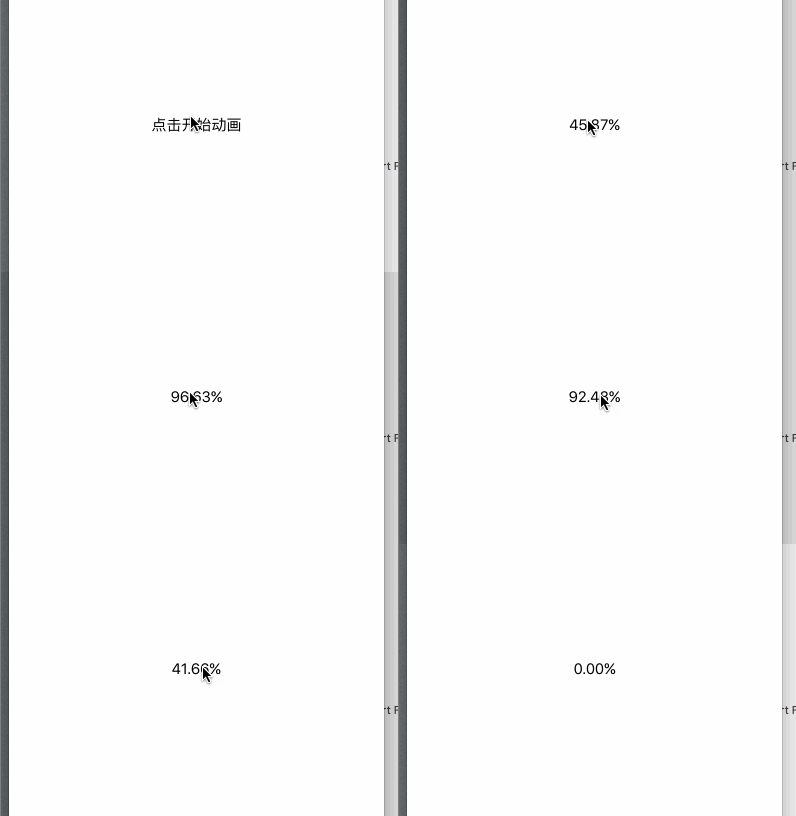
实践:百分比倒计时动画实现 我们现在View上面添加一个button,绑定点击事件,以下是button点击的方法实现:
1
2
3
4
5
6
7
8
9
10
11
let basicAnimation = POPBasicAnimation .linearAnimation()basicAnimation.property = POPAnimatableProperty .propertyWithName("linearCountdownAnimation" , initializer: { (property) in property.writeBlock = { (object,values) in sender.setTitle(String (format:"%.2f" ,values[0 ]) + "%" , forState: .Normal ) } }) as! POPAnimatableProperty basicAnimation.duration = 2.0 basicAnimation.fromValue = hasAnimated ? 100 : 0 basicAnimation.toValue = hasAnimated ? 0 : 100 sender.pop_addAnimation(basicAnimation, forKey: "countdown" ) hasAnimated = ! hasAnimated
不放效果图是可耻的行为:
animation.gif
时间的倒计时效果跟这个实现原理一致,只需要把writeBlock内部给button的title的值转换为时间就好.据说